2 - Character sprites
As alluded to in the previous blog post, I consider visuals to be just as much of a foundational component of this game as the gameplay systems. This is partly the case because illustration is my primary skill, but more so it's because I am a gamer, and I spend a lot of time thinking about what makes the video games that I love so good. However, the only way to prove this thesis is to put it into practice, so I'll pivot away from the schizobabble right away and get to the technical stuff.
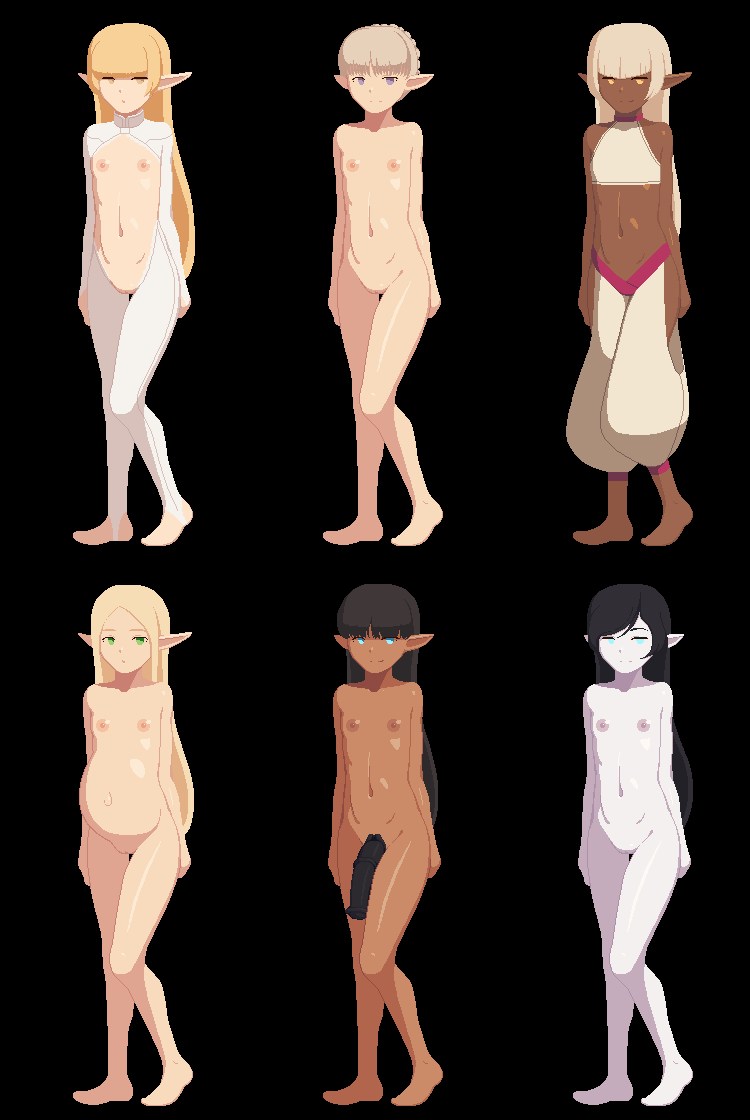
This is the character sprite for generic "elf, female, Small+ stature". I chose it for the showcase because elf sprites are the only ones shared between multiple races, and also for the sentimental reason of it being the first one I drew for this project. The gif demonstrates all the features of the character sprite system: showing a character's physique (sex, stature, appearance-affecting traits), pregnancy status, superfluous variations to set characters apart from eachother such as hair styles, facial features and hair- and eye colors, as well as worn equipment. A typical sprite sheet for generic characters includes the following items in ascending layer order: base body (shared for female and futa characters), "Strong" trait sprite (in some cases "Strong" characters get discrete sprite sets), sprites for different possible breast sizes, pregnancy sprites (three stages), cock and balls (variations for "Well Endowed", "Cum Monster", and "Horse Cock" traits), hair cast shadows, mouths, eyes, eyebrows, hair styles, outfits. Each base body also has associated coordinates for the sprite controller to move sprites for hand equipment such as weapons and shields in place behind or in front of everything else as one big clump (this is why most characters are posed with their right hands not visible). As for color variations, the only realistic way to achieve this is with color-changing shaders. When a set of sprites is being activated, if a non-default shader is present on the sprite object, the variables for what the colors should be changed in to are changed by the sprite controller based on the variables on the character object that is to be represented, which correspond to a list of RGB color vectors associated with names. This is one of the two reasons for the limited color palette style, the other being that I wanted the sprites to be simple enough to be able to finish the work before I'm old and decrepit, and keep the older and newer ones relatively consistent even as my skills improve. The skin shader has the most colors with a midtone, highlight, and two shadow tones, as well as five more colors for nipples, cocks, insides of mouths, and such. The first draft for the elf girl sprite had only one shadow tone, but then as I tried drawing a character with more chest on her, I realized I would need a second shadow tone for separating forms. Speaking of drawing the sprites, the process is quite simple. The tool of choice is Photoshop CS6 and sometimes Blender as well (more on that in just a bit), and the typical workflow looks something like this:
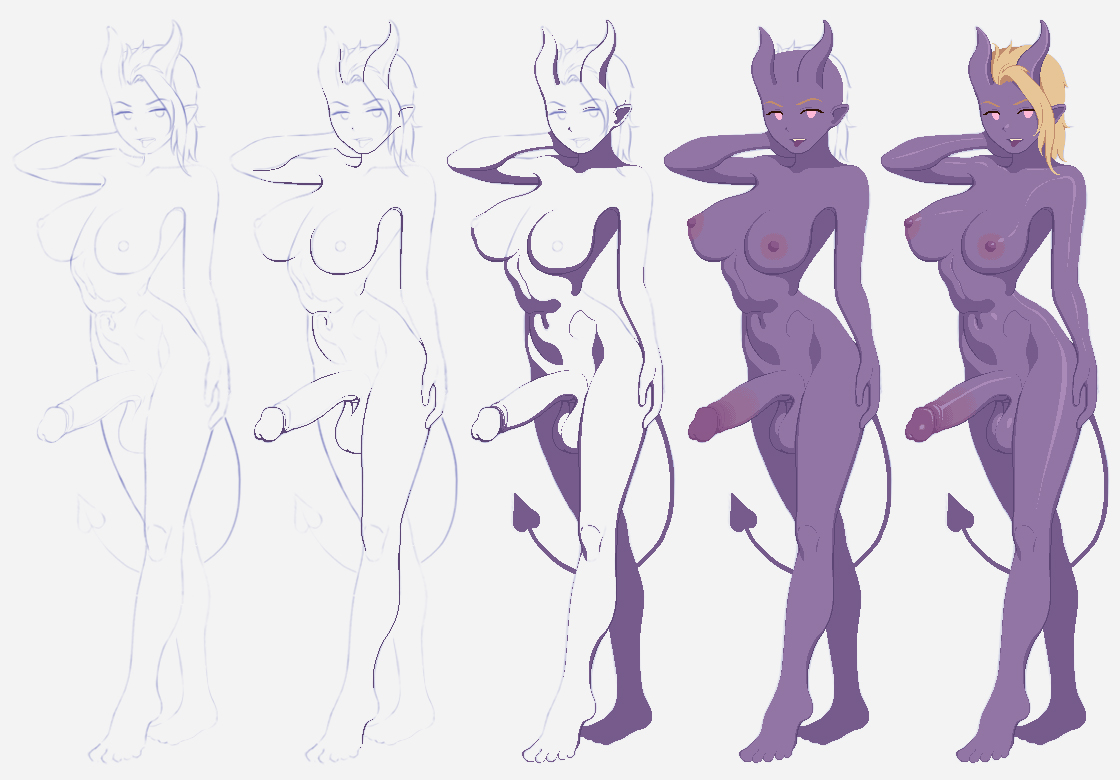
The painting steps are not real work-in-progress images, but rather are there to demonstrate the painting process of filling in the different colors in reverse order of brightness, which differs from my normal workflow I use for non-pixel art paintings. One thing that I've started doing because of this project and applied to other work as well is planning the shadows by drawing them already in the sketching phase in the way you can see in the image. A few years back I never concerned myself with lighting until I was in the rendering phase of a piece, and looking back, it shows. As for what I use Blender for, here's an example:
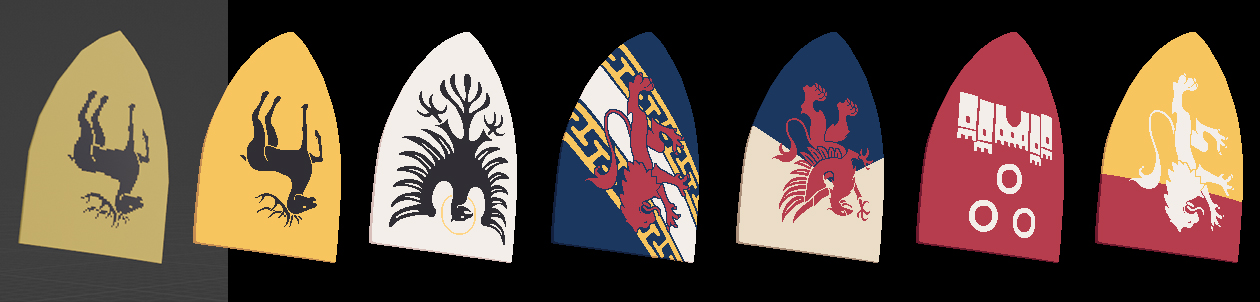
The coat of arms designs are so complicated I could never freehand them in perspective on a curved surface, so I simply paste them onto a 3D model and use that as a basis for the actual sprites. Now, I can't do this for something like characters because making the models for them would be too time-consuming supposing I even had such levels of modeling skill in the first place, but for certain niche applications like this example, knowing my way around Blender is a life-saver. I've also used the program for creating the backgrounds for some of my fanart pieces, in case anyone was wondering about those.
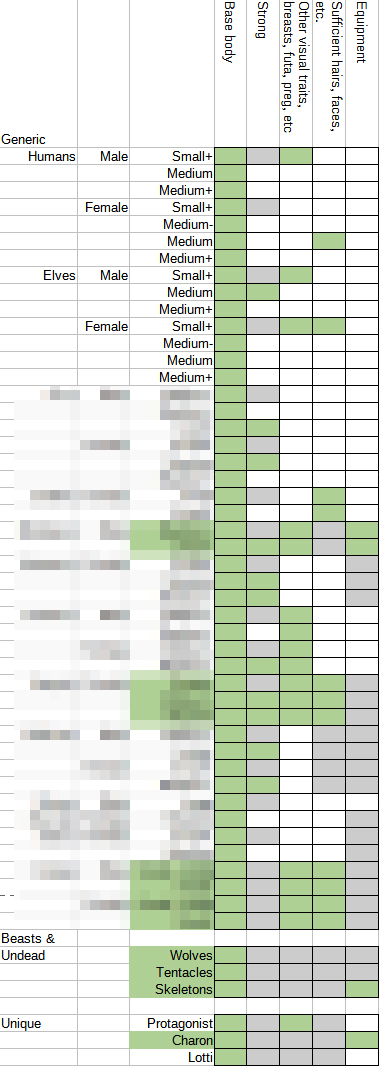
That's all I can think of to cover regarding character sprites, so I'll end this post with a progress report. Having filled up the leftmost column fells pretty good, but I'm thinking the really diabolical workload will be designing all the outfits and drawing them again for each character that can equip them. I don't remember if I've mentioned this before, but for the first demo version I'm considering what is the bare minimum to prove that the game will work conceptually, so things like hair style variations will be limited to modest amounts for now. Upcoming blog posts will be discussing game mechanics in more detail.
- Vilho Kukkonen